

What You Need for Reimbursement
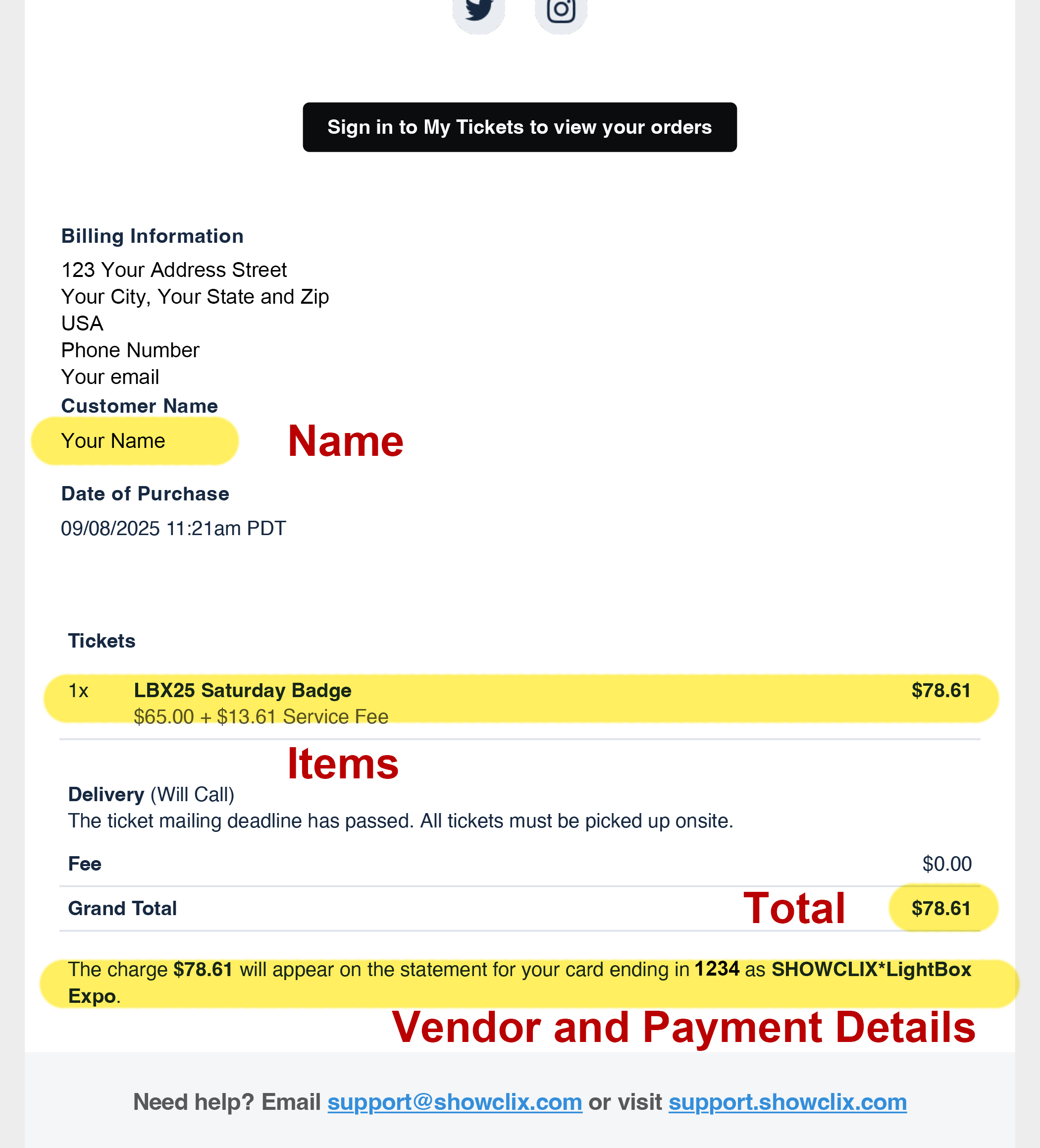
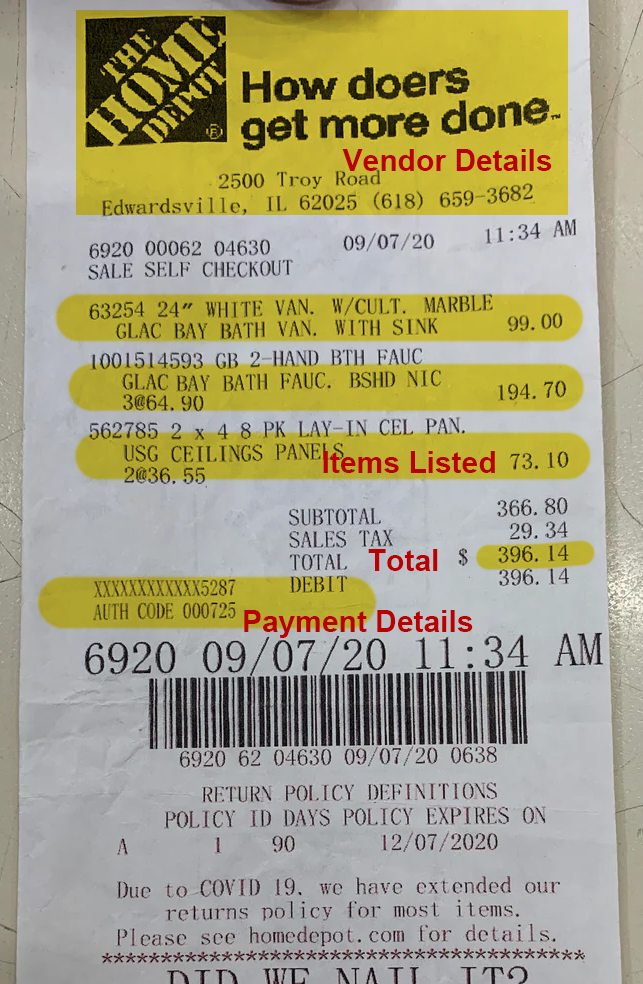
For each purchase, you must include:
-
An itemized receipt showing what was purchased
-
Proof of payment (card, cash, or digital confirmation) ON the receipt
-
Photos or PDFs are fine
Step 1: Prepare Your Receipts
-
Keep printed receipts, take clear photos and download digital receipts
-
Provide printed copies of all receipts, organized together
-
Only include receipts for items you want reimbursed
EXAMPLE:
Step 2: Complete the OCC Check Request Form
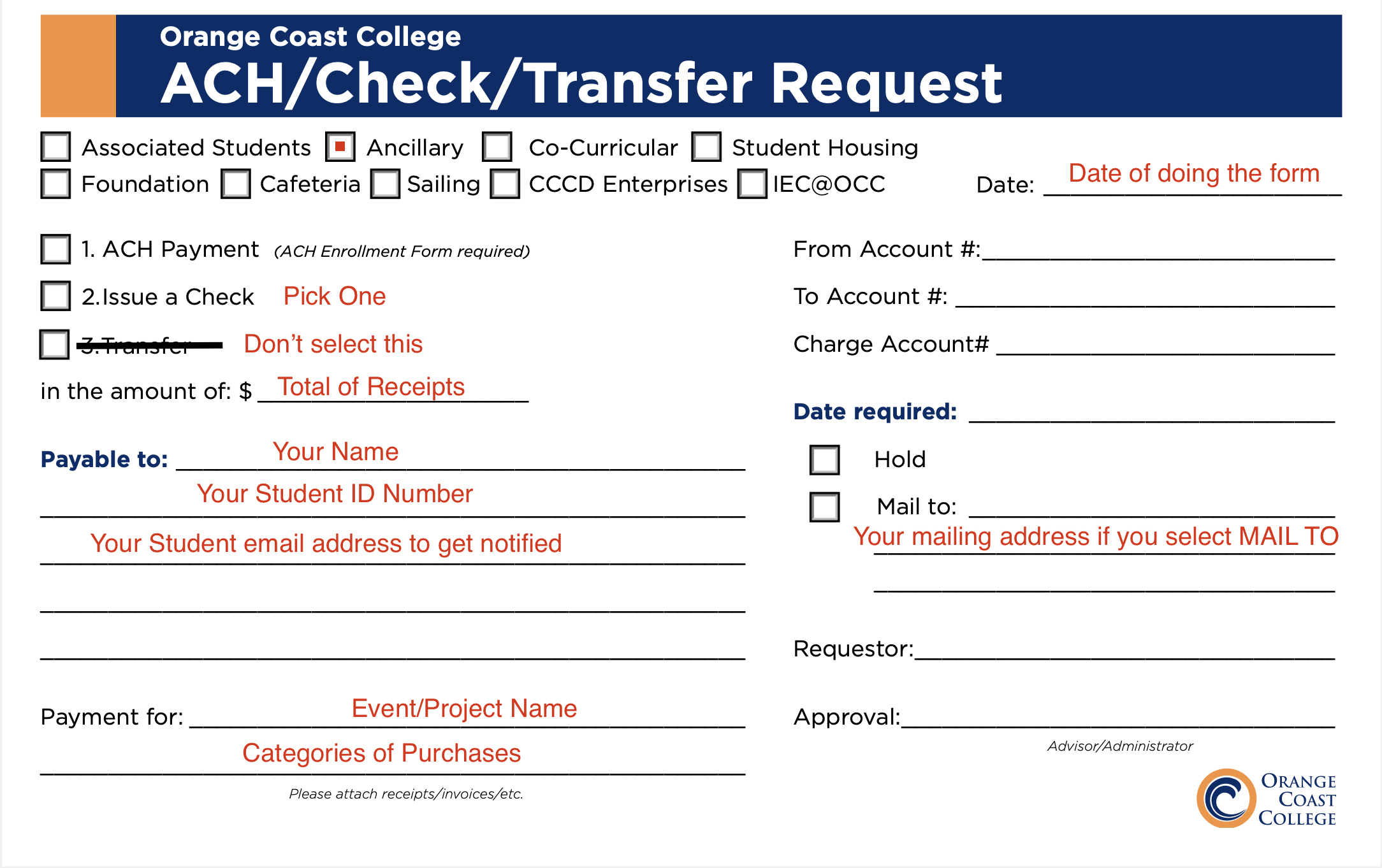
Fill out the Check Request form using these guidelines:
-
Check Ancillary
-
Check Issue a Check or ACH Payment
-
(ACH is direct deposit and requires a one-time ACH form)
-
-
Enter the total amount of all receipts
-
Briefly list what you are being reimbursed for
(example: materials, event ticket, parking, meal) -
Add the date you complete the form
-
Do not fill out the Account fields
-
Select Hold (pick up on campus) or Mail To
-
Do not sign the Requestor line
EXAMPLE:
Step 3: Get Approval
-
Bring the completed Check Request Form and receipts to your faculty advisor for approval and signature
Step 4: Submit for Processing
-
Bring the signed form and receipt copies to the VPA desk on the 3rd floor of the Art Center
-
Staff will assist with processing your reimbursement
Important Notes
-
Reimbursement is limited to your approved amount
-
If you spend less, you will be reimbursed for the lower total
-
If you spend more, reimbursement is capped at the approved amount
-
Submit materials soon after your project or event to avoid delays
Questions?
If you are unsure whether an expense qualifies, contact your faculty advisor before submitting.